-
1
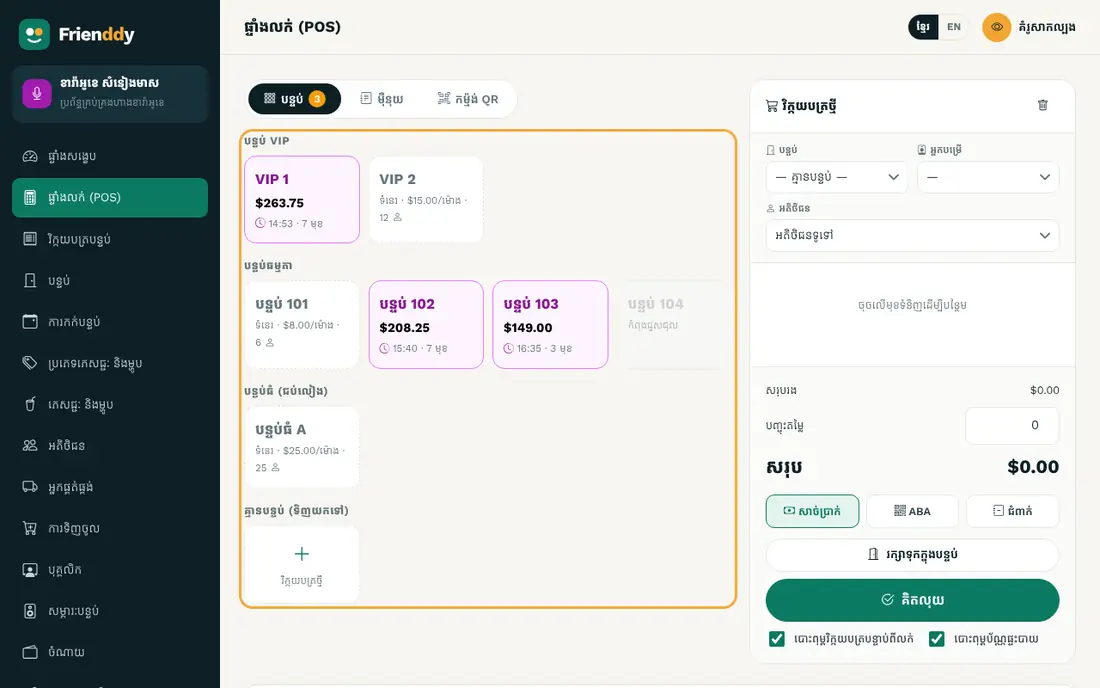
See the rooms
In the POS press “Rooms”. Busy rooms show time used and the amount.
-
2
Start a room
Tap a free room and confirm. The clock starts. Room time is charged in 15-minute blocks, 60 minutes minimum, at the rate set under “Rooms”.
-
3
Add drinks
Tap the busy room, add drinks or food and hold.
-
4
Charge when they leave
When guests leave, open the room, check the time and total, then press “Charge”.
Still need help?
The Frienddy team is happy to help, in Khmer or English.