Where to start
- Set up your business details (name, logo, currency, KHQR)
- Add your staff
- Enter the basics first, in this order: Categories → Services & products → Customers → Staff
- Everyday work: Sales · Appointments · Supplies stock · Expenses
- Tools and reports: Point of Sale · Reports
Basics (set up first)
Other modules use these, so enter them first.
Categories
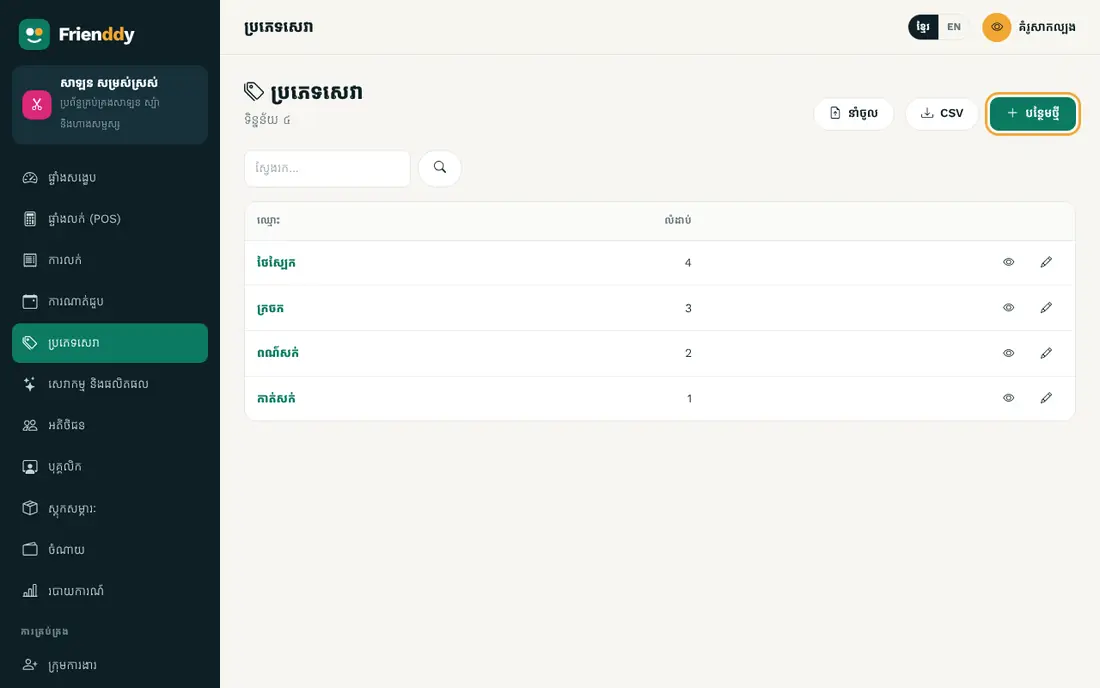
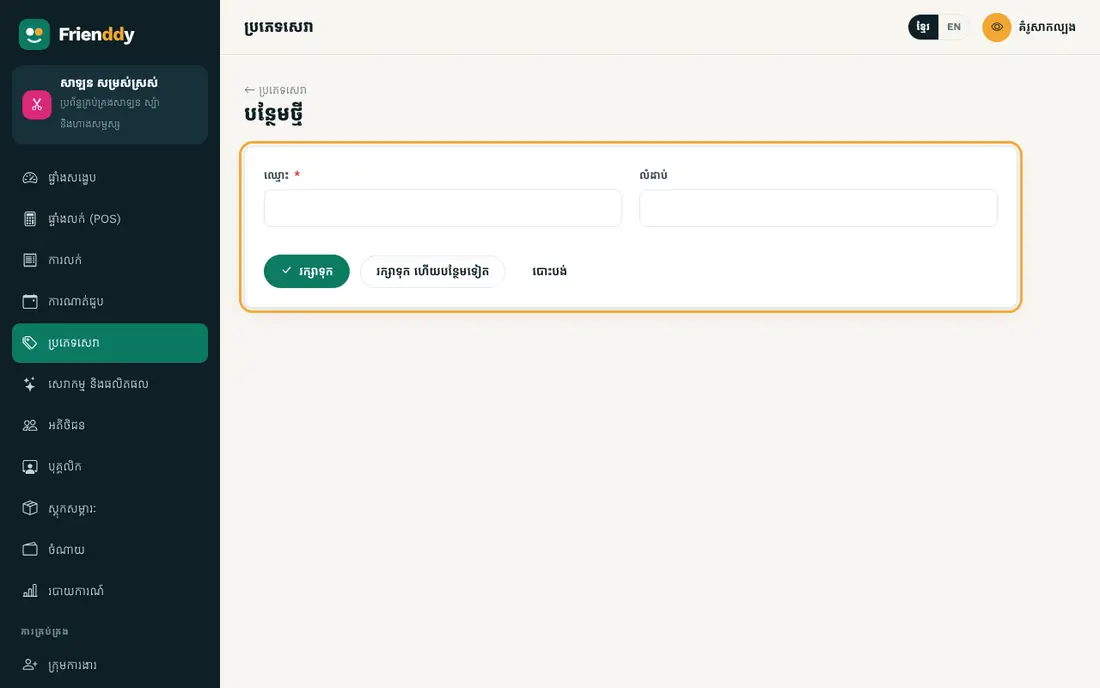
កត់ត្រា៖ ឈ្មោះ · លំដាប់។
- Press Categories in the left menu to open the list.
- Press “Add new” at the top right.
- Fill in the fields as in the table below (“required” fields must be filled).
- Press “Save”. Press any row in the list to view, edit or delete it.
| Field | How to fill it |
|---|---|
| Name required | Type text |
| Sort | Type a number |
Services & products
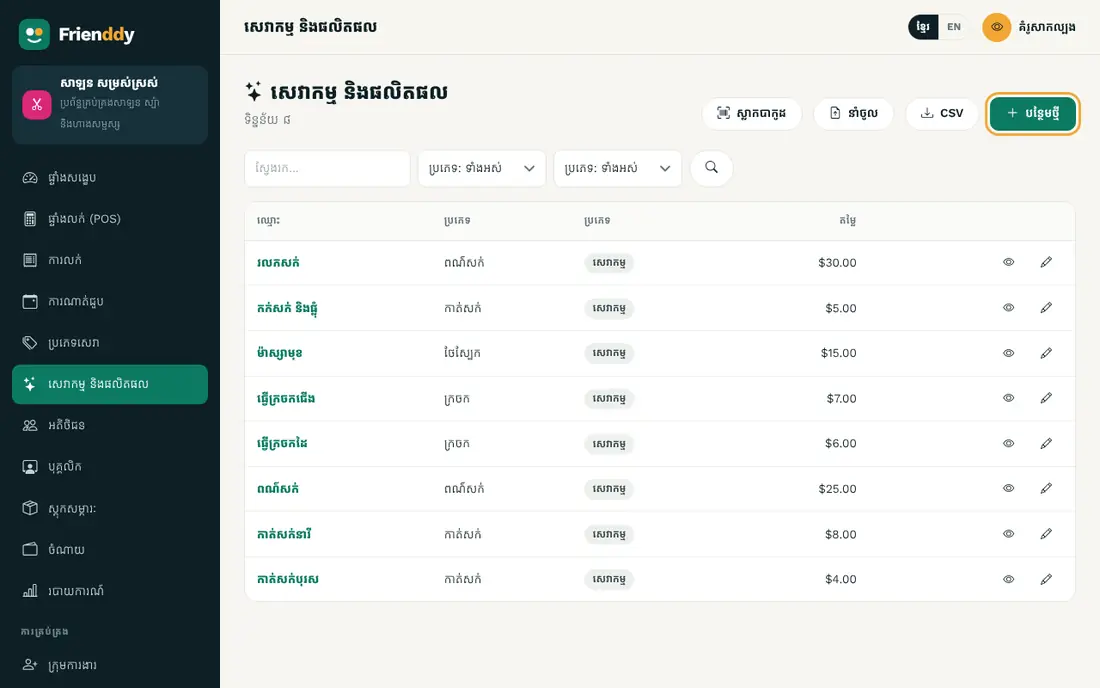
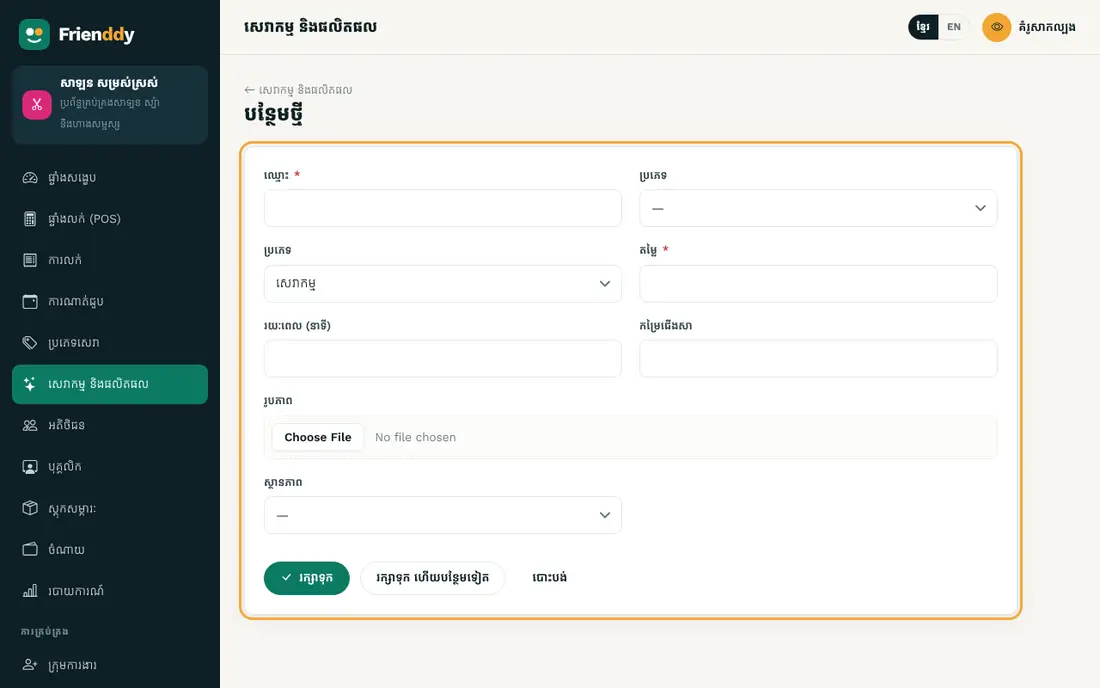
កត់ត្រា៖ ឈ្មោះ · ប្រភេទ · ប្រភេទ · តម្លៃ · រយៈពេល (នាទី) · កម្រៃជើងសា · រូបភាព · ស្ថានភាព។ ស្ថានភាព៖ មាន / ឈប់។
- Press Services & products in the left menu to open the list.
- Press “Add new” at the top right.
- Fill in the fields as in the table below (“required” fields must be filled).
- Press “Save”. Press any row in the list to view, edit or delete it.
| Field | How to fill it |
|---|---|
| Name required | Type text |
| Category | Choose from the list (from “Categories”) |
| Type | Choose from the list: Service / Product |
| Price required | Type an amount |
| Duration (min) | Type a number |
| Commission | Type a percentage |
| Image | Upload a picture |
| Status | Choose from the list: Available / Unavailable |
- Status: Available → Unavailable — change it from the detail page.
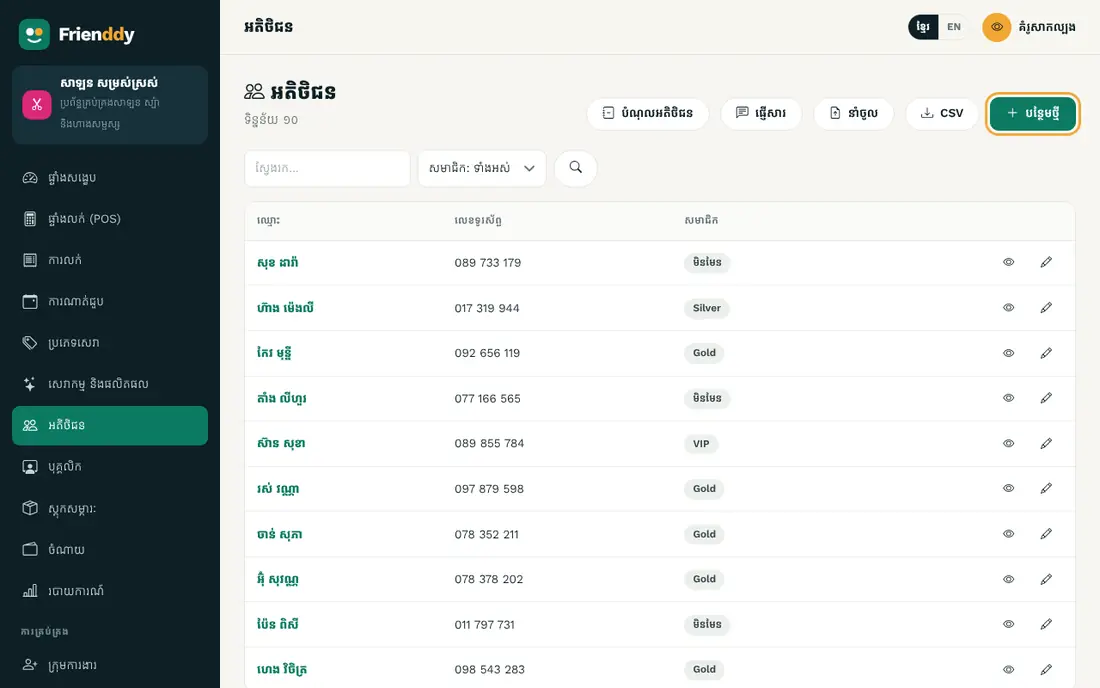
Customers
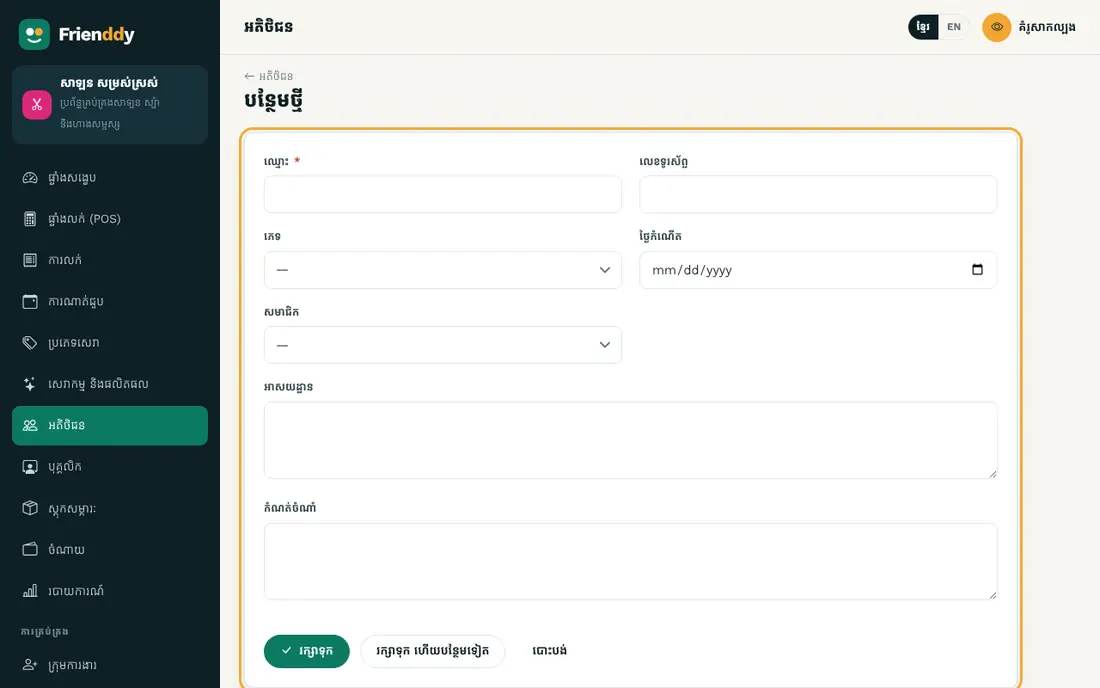
កត់ត្រា៖ ឈ្មោះ · លេខទូរស័ព្ទ · ភេទ · ថ្ងៃកំណើត · សមាជិក · អាសយដ្ឋាន · កំណត់ចំណាំ។
- Press Customers in the left menu to open the list.
- Press “Add new” at the top right.
- Fill in the fields as in the table below (“required” fields must be filled).
- Press “Save”. Press any row in the list to view, edit or delete it.
| Field | How to fill it |
|---|---|
| Name required | Type text |
| Phone | Type a phone number |
| Gender | Choose from the list: Male / Female |
| Birthday | Pick a date |
| Membership | Choose from the list: None / Silver / Gold / VIP |
| Address | Type longer text |
| Note | Type longer text |
Staff
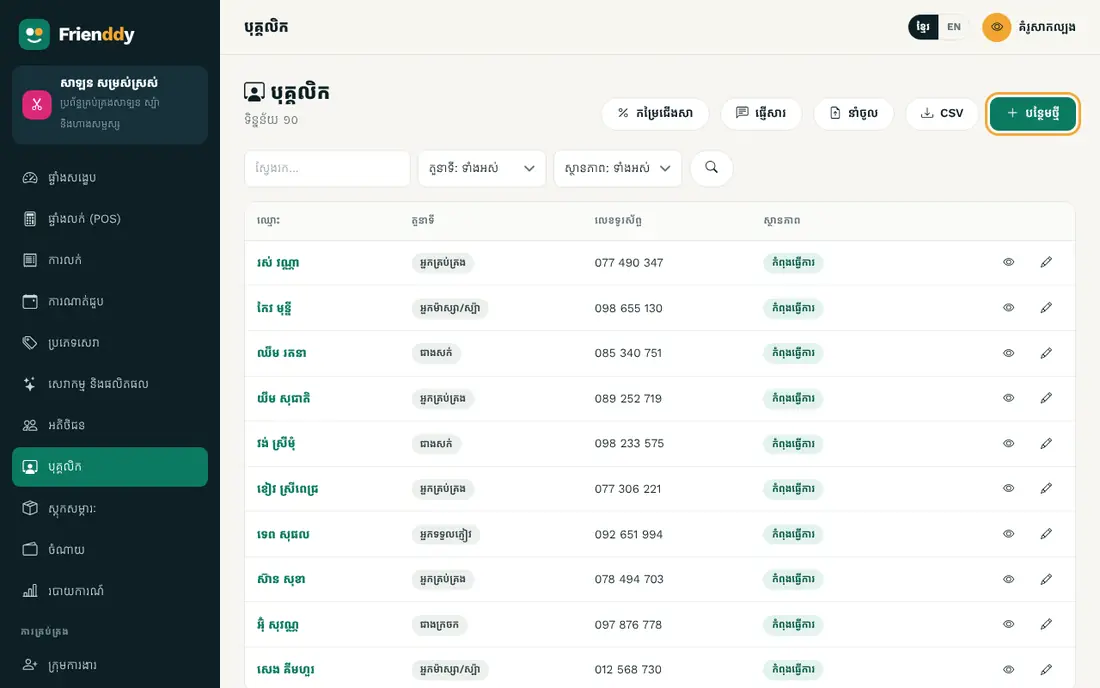
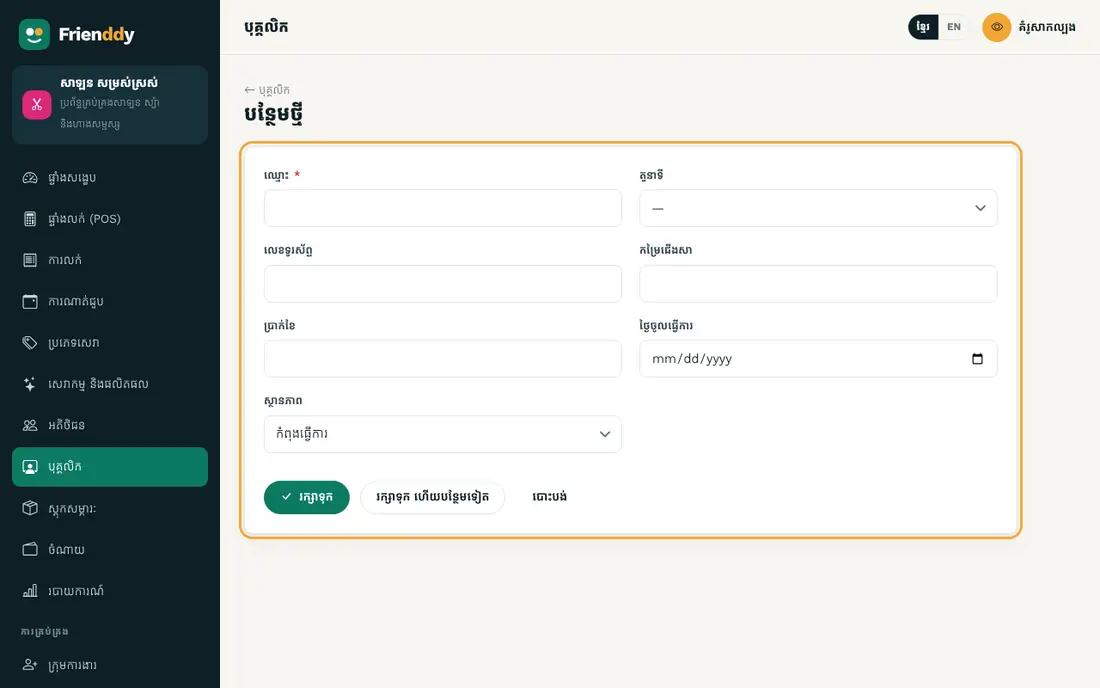
កត់ត្រា៖ ឈ្មោះ · តួនាទី · លេខទូរស័ព្ទ · កម្រៃជើងសា · ប្រាក់ខែ · ថ្ងៃចូលធ្វើការ · ស្ថានភាព។ ស្ថានភាព៖ កំពុងធ្វើការ / ឈប់។
- Press Staff in the left menu to open the list.
- Press “Add new” at the top right.
- Fill in the fields as in the table below (“required” fields must be filled).
- Press “Save”. Press any row in the list to view, edit or delete it.
| Field | How to fill it |
|---|---|
| Name required | Type text |
| Position | Choose from the list: Stylist / Therapist / Nail technician / Receptionist / Manager |
| Phone | Type a phone number |
| Commission | Type a percentage |
| Salary | Type an amount |
| Start date | Pick a date |
| Status | Choose from the list: Active / Left |
- Status: Active → Left — change it from the detail page.
Everyday work
The modules you use every day.
Sales
កត់ត្រា៖ លេខវិក្កយបត្រ · កាលបរិច្ឆេទ · អតិថិជន · បុគ្គលិកបម្រើ · មុខទំនិញ · សរុបរង · បញ្ចុះតម្លៃ · សរុប · ប្រាក់បានបង់ខ្លះ …។ មានបញ្ជីមុខទំនិញ/សេវា គណនាសរុបស្វ័យប្រវត្តិ។ រាប់ជាចំណូលក្នុងរបាយការណ៍។ ស្ថានភាព៖ បានបង់ / មិនទាន់បង់ / បង់ខ្លះ / បោះបង់។ បោះពុម្ពបង្កាន់ដៃ។
- Press Sales in the left menu to open the list.
- Press “Add new” at the top right.
- Fill in the fields as in the table below (“required” fields must be filled).
- Press “Save”. Press any row in the list to view, edit or delete it.
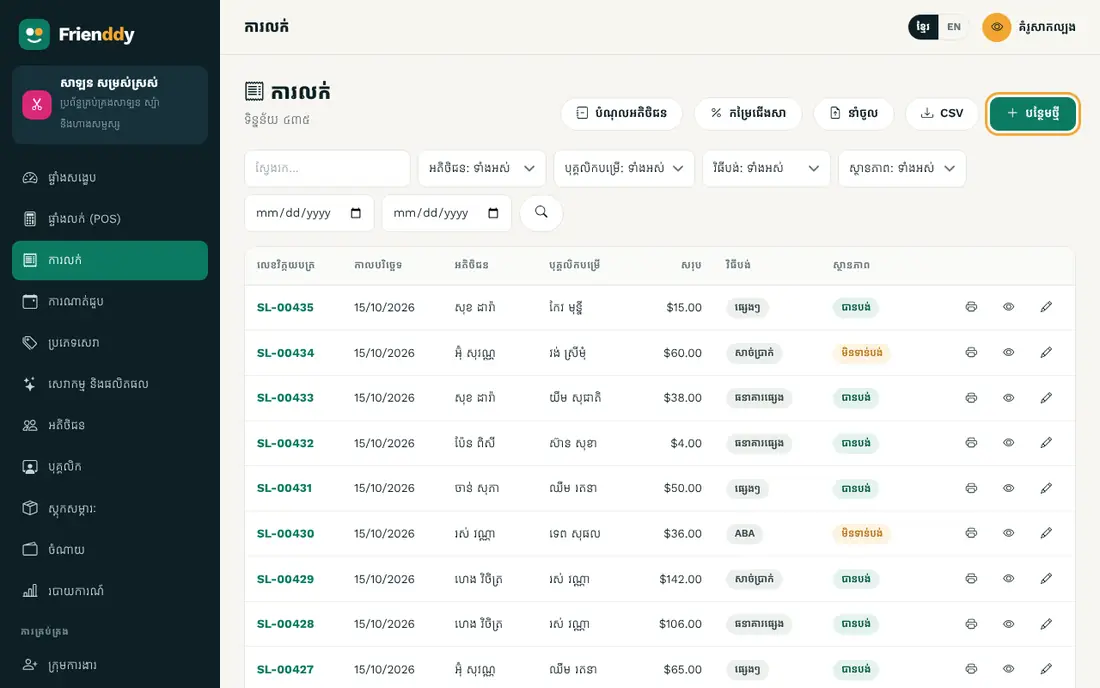
| Field | How to fill it |
|---|---|
| Date required | Pick a date |
| Customer | Choose from the list (from “Customers”) |
| Served by | Choose from the list (from “Staff”) |
| Items | Add one product/service per row (quantity × price) — the total is worked out for you |
| Subtotal | Type an amount |
| Discount | Type an amount |
| Total required | Type an amount |
| Amount paid so far | Type an amount Only for credit sales or part payments |
| Payment | Choose from the list: Cash / ABA / Other bank / Other |
| Status | Choose from the list: Paid / Unpaid / Partly paid / Cancelled |
| Note | Type longer text |
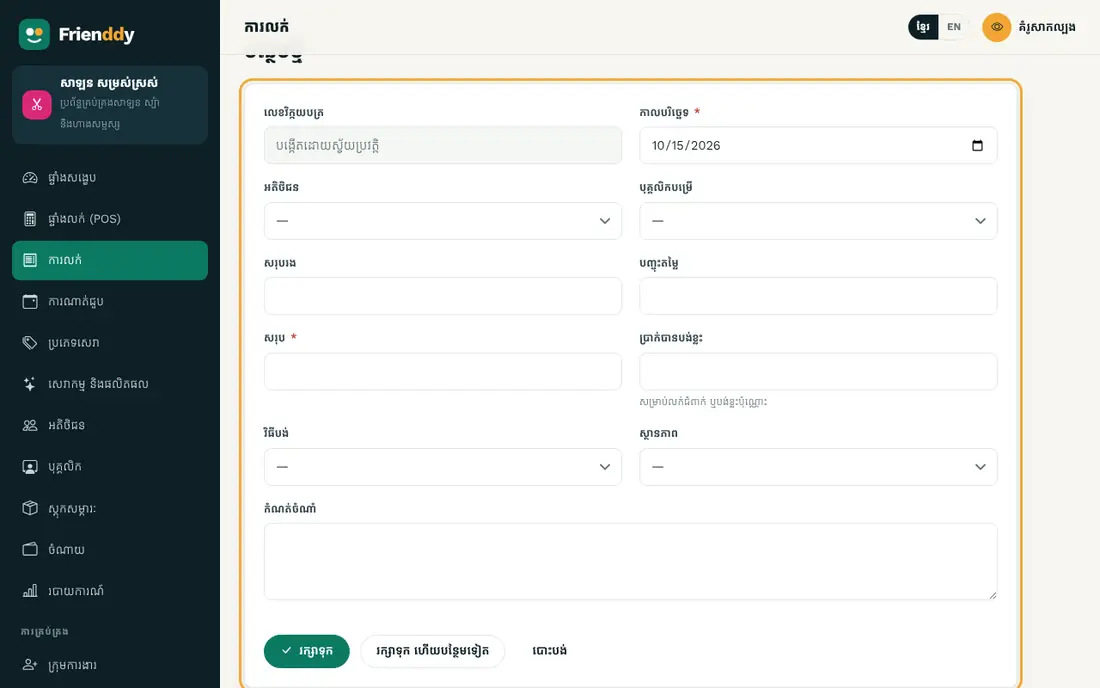
- This form has an item table: add a row, pick the product, type the quantity, and the total is calculated.
- Entries here count as income on the dashboard and in reports.
- Status: Paid → Unpaid → Partly paid → Cancelled — change it from the detail page.
- On the detail page you can print a document (invoice or receipt).
Appointments
កត់ត្រា៖ ឈ្មោះភ្ញៀវ · លេខទូរស័ព្ទ · អតិថិជន · កាលបរិច្ឆេទ · ម៉ោង · សេវាកម្ម · បុគ្គលិក · ស្ថានភាព · កំណត់ចំណាំ។ ស្ថានភាព៖ បានណាត់ / រួចរាល់ / បោះបង់ / មិនមក។
- Press Appointments in the left menu to open the list.
- Press “Add new” at the top right.
- Fill in the fields as in the table below (“required” fields must be filled).
- Press “Save”. Press any row in the list to view, edit or delete it.
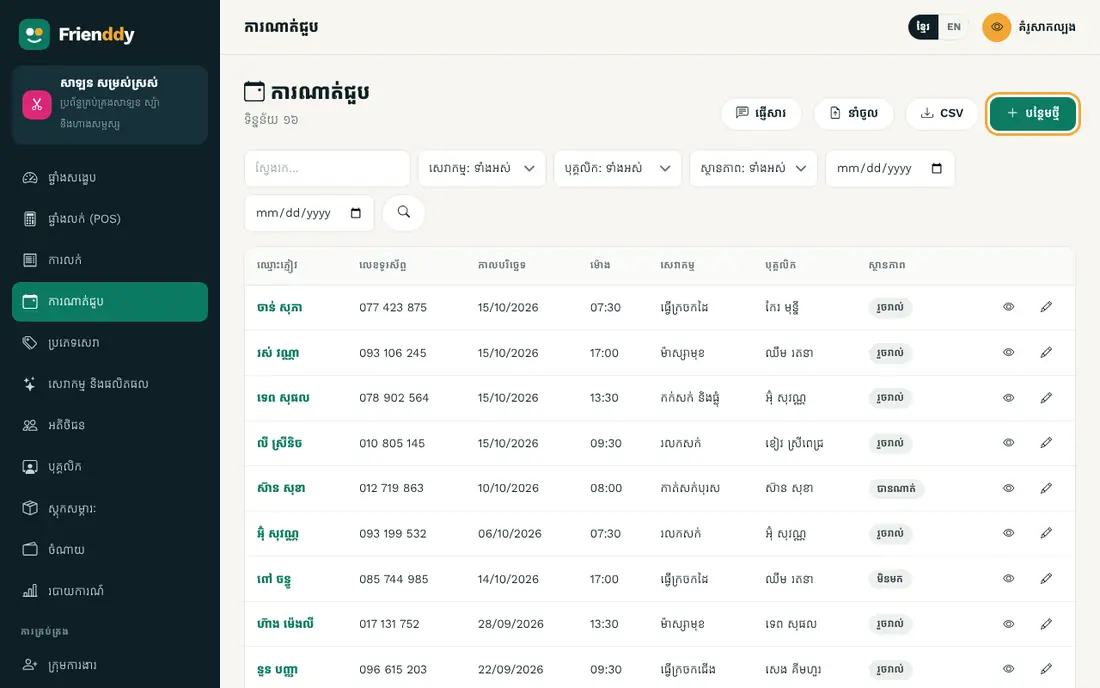
| Field | How to fill it |
|---|---|
| Guest name required | Type text |
| Phone | Type a phone number |
| Customer | Choose from the list (from “Customers”) |
| Date required | Pick a date |
| Time required | Type text |
| Service | Choose from the list (from “Services & products”) |
| Staff | Choose from the list (from “Staff”) |
| Status | Choose from the list: Booked / Done / Cancelled / No-show |
| Note | Type longer text |
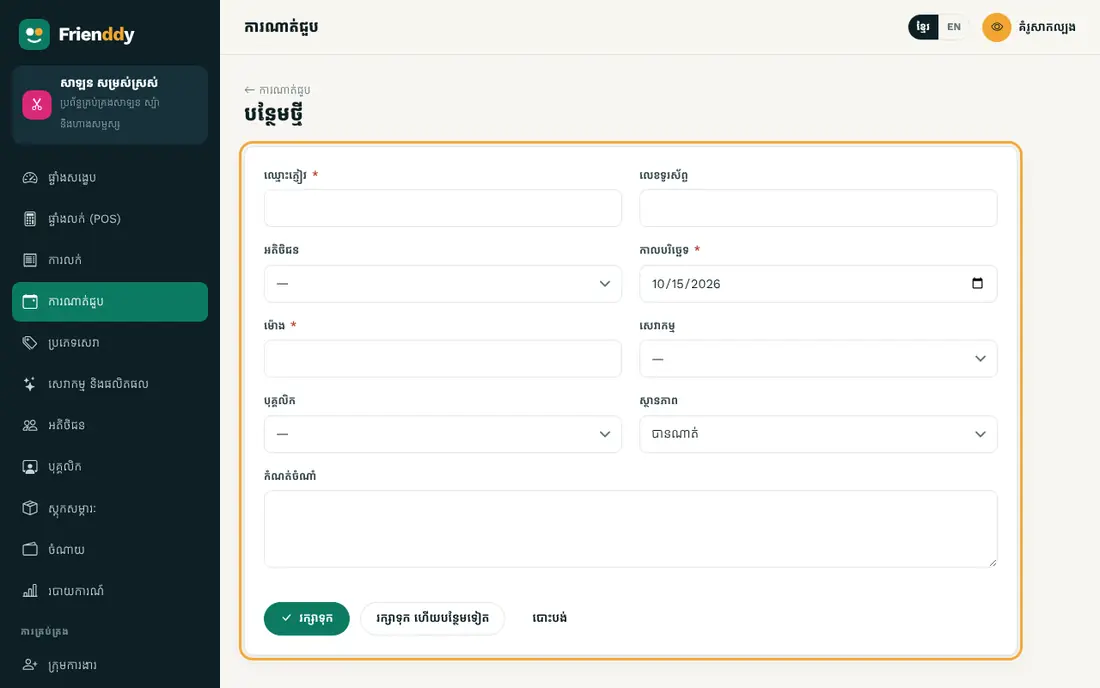
- Status: Booked → Done → Cancelled → No-show — change it from the detail page.
Supplies stock
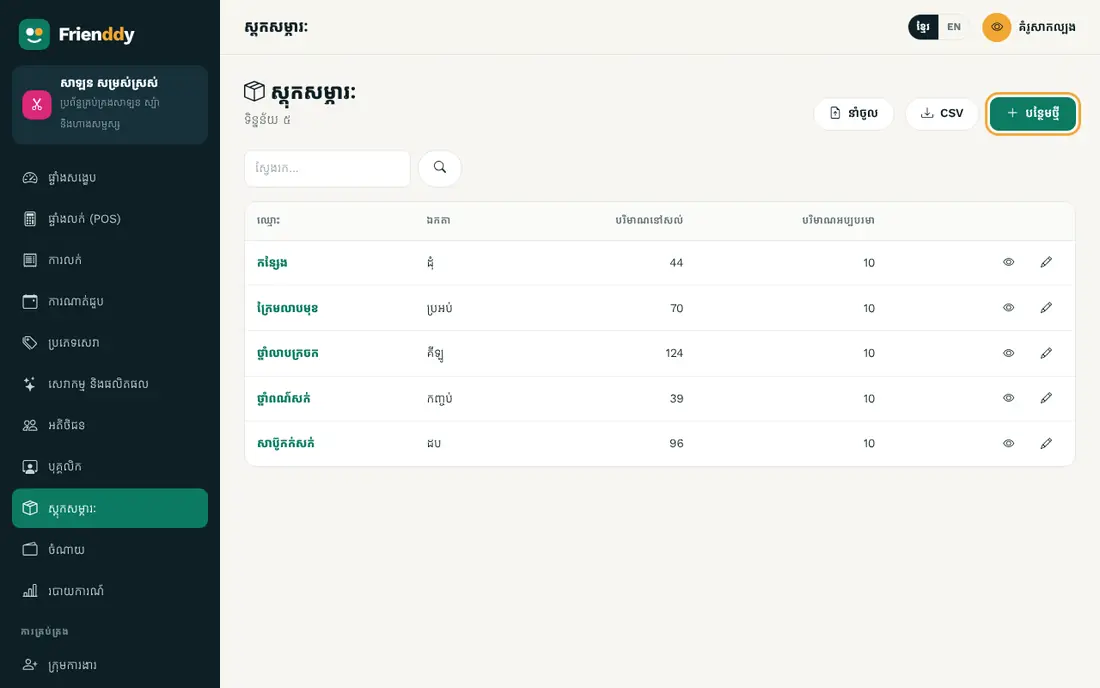
កត់ត្រា៖ ឈ្មោះ · ឯកតា · បរិមាណនៅសល់ · បរិមាណអប្បបរមា · ថ្លៃដើម។ ជូនដំណឹងពេលស្តុកជិតអស់។
- Press Supplies stock in the left menu to open the list.
- Press “Add new” at the top right.
- Fill in the fields as in the table below (“required” fields must be filled).
- Press “Save”. Press any row in the list to view, edit or delete it.
| Field | How to fill it |
|---|---|
| Name required | Type text |
| Unit | Type text |
| In stock | Type a number |
| Minimum | Type a number |
| Cost | Type an amount |
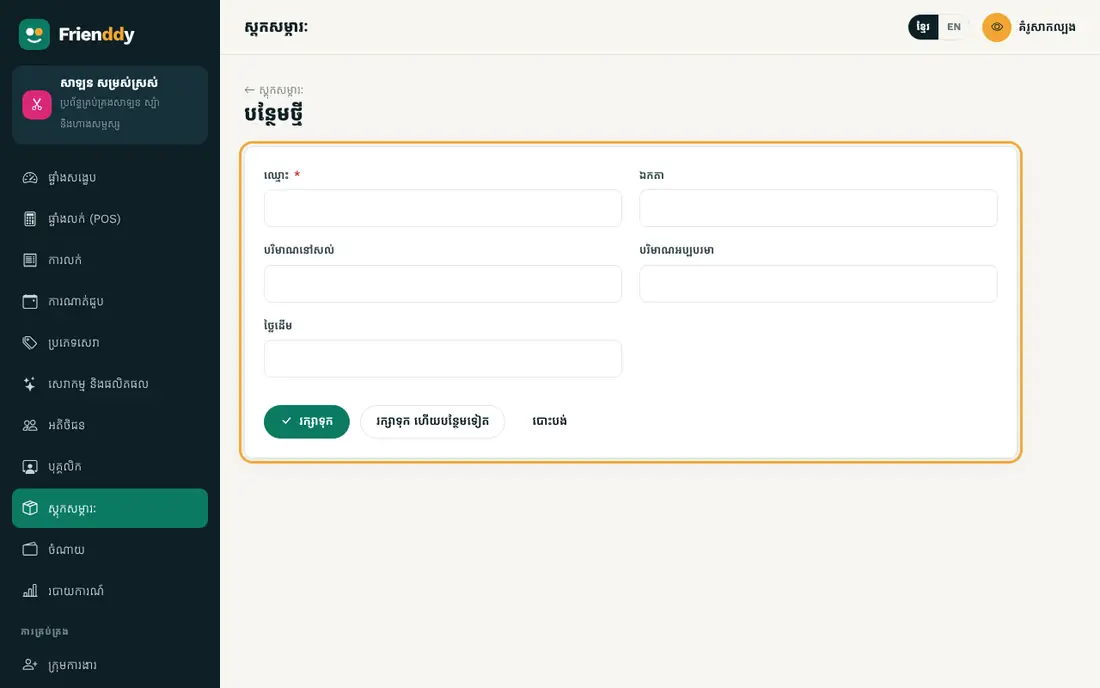
- Set a minimum and the dashboard warns you when stock runs low.
Expenses
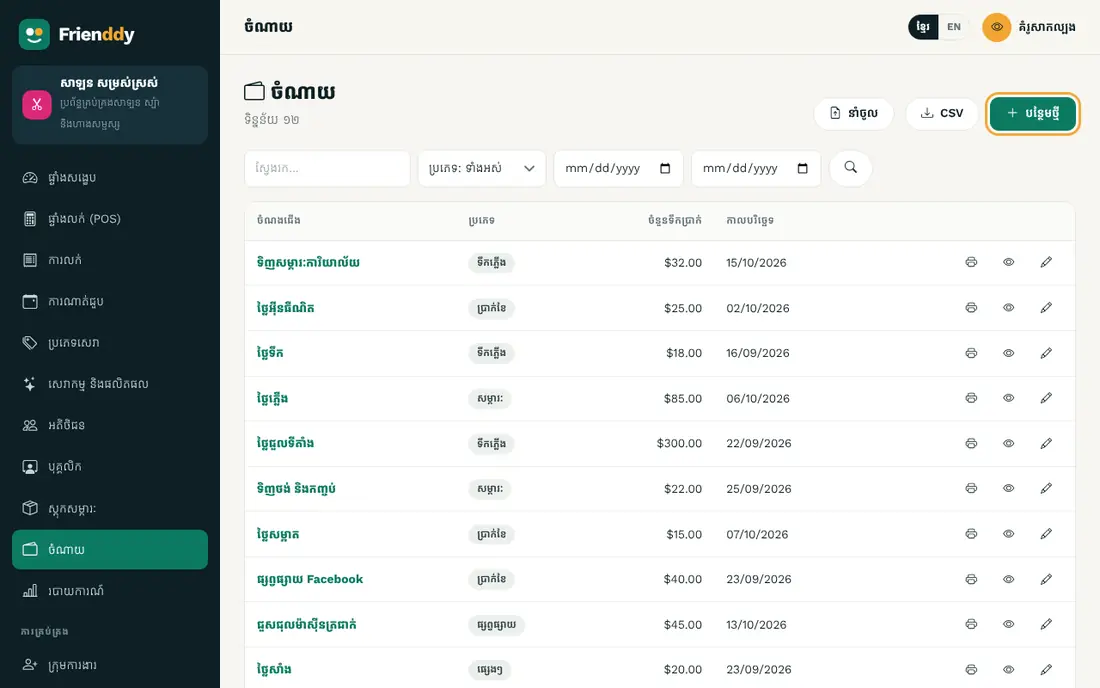
កត់ត្រា៖ ចំណងជើង · ប្រភេទ · ចំនួនទឹកប្រាក់ · កាលបរិច្ឆេទ · វិធីបង់ · កំណត់ចំណាំ។ រាប់ជាចំណាយក្នុងរបាយការណ៍។
- Press Expenses in the left menu to open the list.
- Press “Add new” at the top right.
- Fill in the fields as in the table below (“required” fields must be filled).
- Press “Save”. Press any row in the list to view, edit or delete it.
| Field | How to fill it |
|---|---|
| Title required | Type text |
| Category | Choose from the list: Rent / Salary / Utilities / Supplies / Fuel / Repairs / Marketing / Other |
| Amount required | Type an amount |
| Date required | Pick a date |
| Method | Choose from the list: Cash / ABA / Other bank / Other |
| Note | Type longer text |
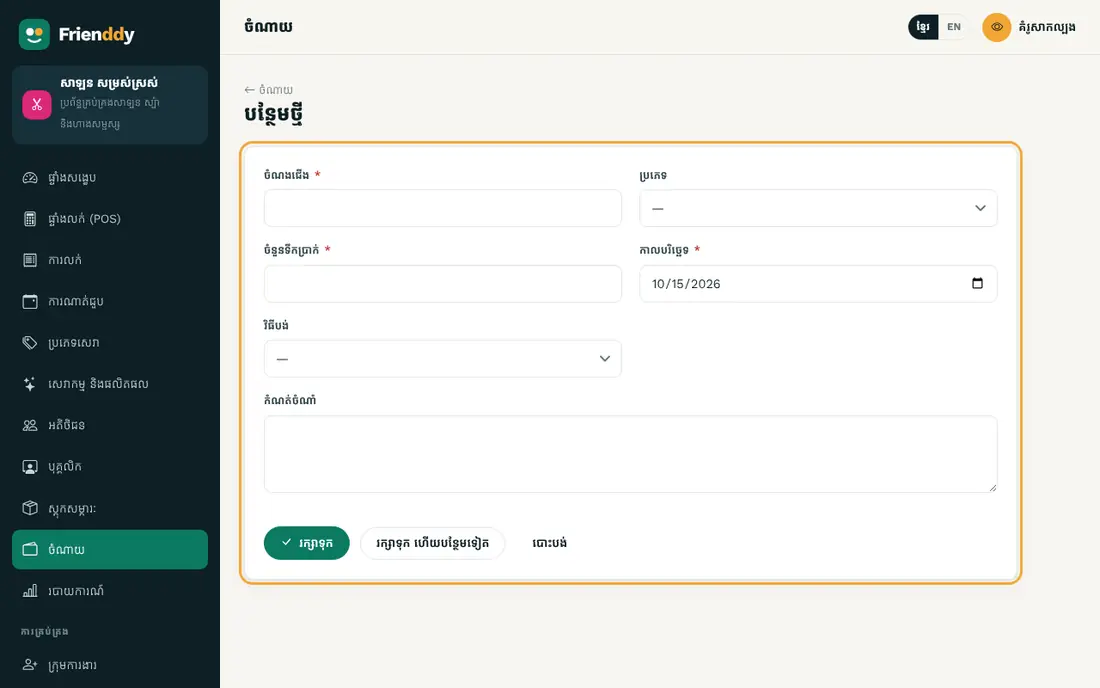
- Entries here count as expenses on the dashboard and in reports.
Tools and reports
Special screens that work with the data above.
Point of Sale
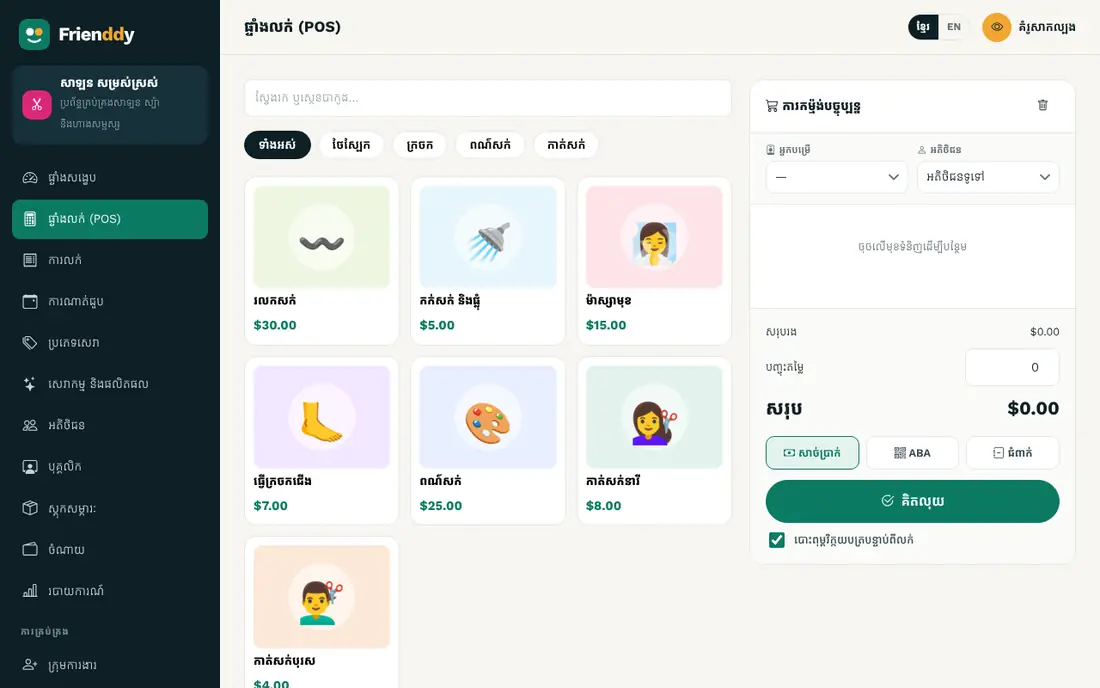
លក់លឿន៖ ជ្រើស ឬស្កេនបាកូដទំនិញ បញ្ចុះតម្លៃ ហើយបង់ជាសាច់ប្រាក់ ABA ឬជំពាក់។ កាត់ស្តុក និងចេញបង្កាន់ដៃភ្លាមៗ។ ភ្ជាប់អតិថិជនទៅនឹងការលក់ ដើម្បីតាមដានបំណុល។
- Press Point of Sale in the left menu.
- Detailed lesson: Sell with the POS →
Reports
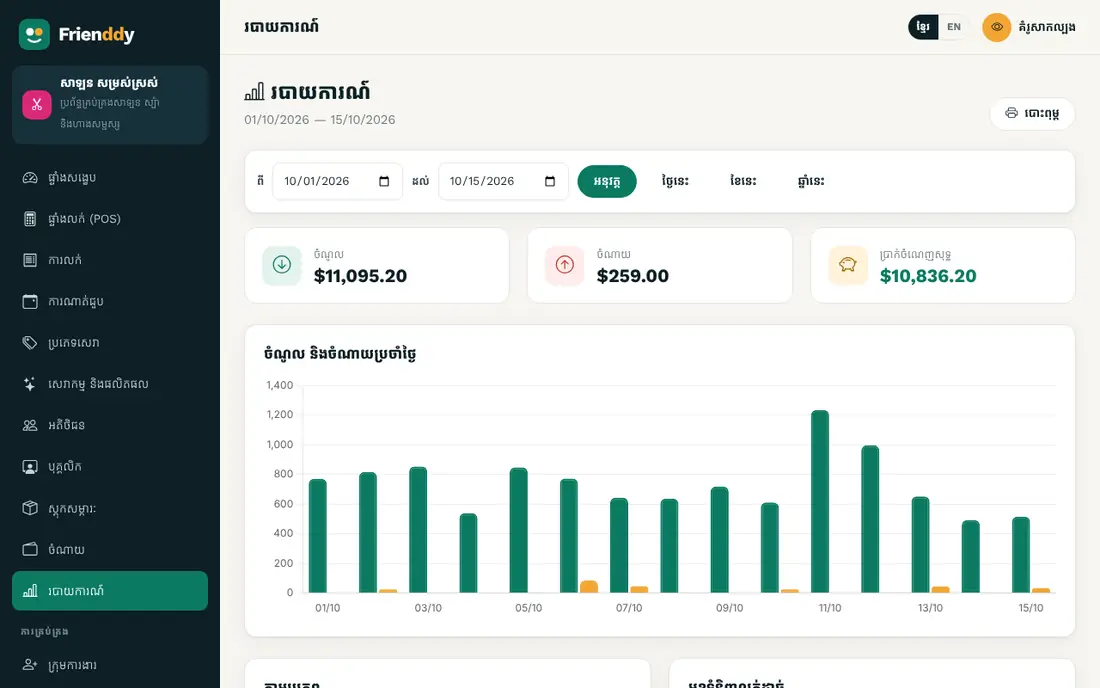
សង្ខេបចំណូល ចំណាយ និងប្រាក់ចំណេញ៖ ថ្ងៃនេះ ខែនេះ ឆ្នាំនេះ ឬរយៈពេលជ្រើសរើស — តាមប្រភពចំណូល តាមប្រភេទចំណាយ និងមុខលក់ដាច់ជាងគេ។ បោះពុម្ពបាន។
- Press Reports in the left menu.
- Detailed lesson: Daily, monthly and yearly reports →
Still need help?
The Frienddy team is happy to help, in Khmer or English.